


Introduction
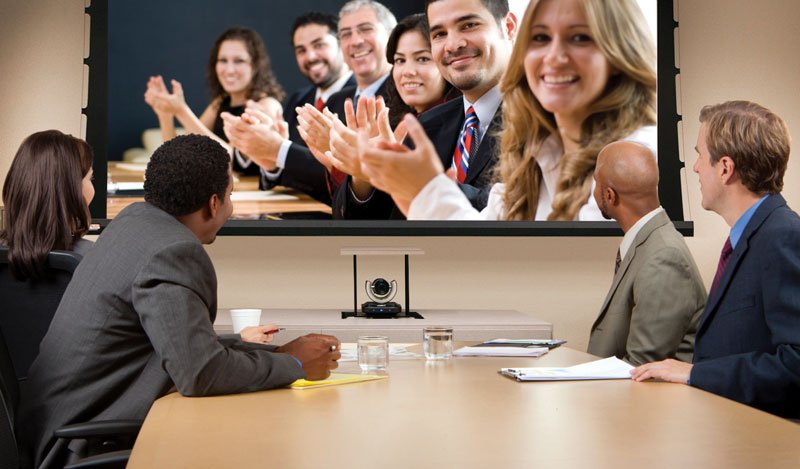
Online meetings are now a regular part of daily life. People use them for work, school, business, training, interviews, and team discussions. A video meeting can save time and help people connect from different locations. However, a meeting can quickly become frustrating when the sound is unclear, the internet keeps dropping, or participants seem distracted.
That is why learning useful video conference tips is important. Small changes can improve the quality of every meeting. You do not need expensive equipment or advanced skills. A few simple habits can help you communicate better and leave a positive impression.
Many people focus only on what they want to say during a meeting. Yet the way you present yourself matters just as much. Good lighting, clear audio, proper camera placement, and strong meeting etiquette can make a huge difference. These details help others pay attention to your message.
In this guide, you will learn practical video conference tips that can improve your online meetings. Whether you join video calls every day or only once in a while, these ideas can help you feel more confident, organized, and professional.
Why Video Conference Tips Matter
Virtual meetings have changed the way people work and communicate. Teams no longer need to sit in the same office to work together. Students can attend classes from home. Businesses can connect with clients from around the world.
While this convenience offers many benefits, it also creates new challenges. Technical issues can interrupt conversations. Poor audio can make it difficult to understand speakers. Background noise can distract everyone in the meeting.
This is where video conference tips become valuable. They help reduce problems before they happen. Instead of wasting time fixing issues during the meeting, you can focus on the discussion itself.
Good meeting habits also show respect for others. When you arrive prepared, people can communicate with you more easily. This creates a smoother and more productive experience for everyone involved.
Test Your Equipment Before the Meeting
One of the most useful video conference tips is testing your equipment before the meeting begins. Waiting until the last minute often leads to unnecessary stress and delays.
Start by checking your microphone. Record a short audio sample and listen to it. Make sure your voice sounds clear and easy to understand. If the sound is weak, adjust the microphone settings or move closer to the device.
Next, test your camera. Confirm that the image looks sharp and bright. Clean the camera lens if the picture appears blurry. A small amount of dust can affect image quality more than many people realize.
You should also check your speakers or headphones. Make sure you can hear others clearly without echoes or interruptions. If possible, join a test meeting before the actual event.
Many meeting platforms offer built-in testing tools. Using these tools only takes a few minutes and can prevent major problems later. Among all video conference tips, this simple step often provides the biggest benefit.
Choose a Quiet Place
Noise is one of the most common distractions during online meetings. A barking dog, loud television, or busy street can make it difficult for others to focus on what you are saying.
Try to choose a room where you can work without interruptions. Close doors and windows if outside sounds become a problem. Let family members or coworkers know when you will be in a meeting.
If complete silence is not possible, consider using headphones with noise reduction features. These devices can help reduce unwanted sounds and improve audio quality.
Many meeting applications also include noise suppression settings. Turning on these features can help remove background sounds and keep your voice clear.
Among the most effective video conference tips, finding a quiet environment remains one of the easiest ways to improve communication.
Make Sure Your Internet Connection Is Stable
A strong internet connection helps meetings run smoothly. Poor connections often cause frozen screens, delayed audio, and dropped calls.
Whenever possible, connect your device directly to your router using an Ethernet cable. Wired connections usually provide better stability than wireless networks.
If you use Wi-Fi, try sitting closer to the router. This can improve signal strength and reduce interruptions. You should also disconnect devices that are not being used because they may consume bandwidth.
Before important meetings, run an internet speed test. This allows you to identify problems before the meeting starts.
Reliable internet service supports better communication. That is why many lists of video conference tips place internet quality near the top.
Use Proper Lighting
Good lighting helps people see your face clearly. Poor lighting can create shadows that make you look tired or difficult to see.
The best option is natural light. Sit facing a window so the light shines toward your face. Avoid placing a bright window behind you because it can make your face appear dark.
If natural light is unavailable, use a lamp positioned in front of you. Soft lighting often creates the most pleasant appearance.
Try different lighting arrangements before your meeting. Small adjustments can significantly improve how you appear on camera.
Professional lighting does not require expensive equipment. This is one of the simplest video conference tips that anyone can use immediately.
Position Your Camera Correctly
Camera placement affects how others see you during a meeting. A poorly positioned camera can create awkward angles and make conversations feel less personal.
Place the camera at eye level whenever possible. This creates a natural view and helps you appear engaged. Looking down at a camera can seem uncomfortable, while looking up may appear unprofessional.
If your laptop sits too low, place it on books or a stand. This simple adjustment can greatly improve your appearance on screen.
Keep your face centered in the frame. Leave a small amount of space above your head while ensuring your shoulders remain visible.
Many video conference tips focus on equipment, but camera placement often has an equally important impact.
Dress Appropriately for the Meeting
Your clothing should match the purpose of the meeting. A casual team discussion may allow relaxed attire, while client meetings or interviews often require more professional clothing.
Solid colors usually work better on camera than busy patterns. Bright patterns can sometimes create distractions or visual distortions.
You do not need expensive clothes to look professional. Clean, neat, and appropriate clothing is usually enough.
Even when working from home, dressing properly can improve your confidence. When you feel prepared, you often communicate more effectively.
This is one of those video conference tips that influences both your appearance and your mindset.
Keep Your Background Clean
People notice what appears behind you during a meeting. A cluttered background can distract attention from your message.
Choose a simple background whenever possible. A clean wall, bookshelf, or organized workspace often works well.
Remove unnecessary items that may draw attention. Personal information, messy shelves, and unrelated objects can create distractions.
Virtual backgrounds can also help if your environment is not ideal. However, use professional images that match the tone of the meeting.
A clean background helps create a more polished appearance and supports many other video conference tips.
Mute Yourself When Not Speaking
Background noise can quickly disrupt a meeting. Even small sounds such as typing, coughing, or moving papers can become noticeable.
Muting your microphone when you are not speaking helps reduce distractions. It allows the active speaker to communicate without interruptions.
Remember to unmute yourself before responding. Many people begin speaking only to realize their microphone remains muted.
This habit shows respect for everyone in the meeting. It also helps maintain a smooth flow of conversation.
Among all video conference tips, proper microphone control remains one of the easiest habits to develop.
Look at the Camera While Speaking
Many people focus on the faces displayed on their screen. While this feels natural, it can make eye contact appear weak.
When speaking, try looking directly at the camera from time to time. This creates the impression that you are making eye contact with the audience.
You do not need to stare at the camera constantly. Simply glance toward it during important points.
This small adjustment can help you appear more confident and engaged.
Effective communication often depends on details like this, which is why it appears on many lists of video conference tips.
Stay Focused During the Meeting
Multitasking may seem harmless, but it often reduces attention and productivity. Checking emails or browsing websites during a meeting can cause you to miss important information.
Keep only necessary applications open. Close unrelated tabs and notifications whenever possible.
Take notes if the discussion contains important details. Writing key points can improve understanding and memory.
When you stay focused, you contribute more effectively and show respect for the speaker.
Many successful professionals consider attention and engagement among the most valuable video conference tips.
Be Ready Before the Meeting Starts
Preparation can greatly improve meeting quality. Review the agenda and gather any documents you may need.
Join the meeting a few minutes early. This provides time to solve technical issues before the discussion begins.
Keep notes, presentations, and reference materials nearby. Being organized helps you respond quickly and confidently.
Prepared participants often contribute more meaningful ideas and help meetings stay on track.
Good preparation supports nearly every other item on a list of video conference tips.
Practice Good Meeting Etiquette
Online meetings work best when participants follow basic etiquette. Listen carefully when others speak and avoid interrupting them.
Wait for appropriate moments before sharing your thoughts. Respectful communication creates a positive environment.
Use clear language and speak at a moderate pace. This helps everyone understand your message.
If the meeting includes many participants, use features such as the raise-hand tool when appropriate.
Strong etiquette improves collaboration and remains one of the most important video conference tips for professional settings.
Use Headphones for Better Audio
Headphones can improve both listening and speaking quality. They reduce echoes and help block background noise.
Many built-in laptop microphones capture unwanted sounds from the surrounding area. A headset often provides clearer audio.
Comfortable headphones can also help you stay focused during long meetings.
You do not need premium equipment. Even simple headphones can provide noticeable improvements.
For this reason, many experts include headphones among their favorite video conference tips.
Take Notes During Important Discussions
Meetings often contain deadlines, action items, and key decisions. It can be difficult to remember everything afterward.
Taking notes helps organize important information. Focus on major points rather than writing every word.
Review your notes after the meeting ends. This helps reinforce important details and reduces misunderstandings.
Sharing meeting notes with teammates can also improve collaboration.
This habit may seem simple, yet it remains one of the most practical video conference tips available.
Keep Meetings Short and Purposeful
Long meetings can reduce attention and productivity. Whenever possible, focus on clear goals and stay on topic.
Create an agenda before the meeting begins. This helps participants understand what will be discussed.
Avoid unnecessary conversations that do not support the meeting’s purpose.
When meetings remain organized, participants stay engaged and contribute more effectively.
Many organizations follow these video conference tips to improve efficiency and save time.
Common Mistakes to Avoid
Several common mistakes can reduce meeting quality. Joining late is one example. It disrupts the discussion and may cause delays.
Poor lighting and bad audio can also create problems. These issues often make communication difficult.
Another mistake involves ignoring meeting etiquette. Interrupting others or talking over speakers can create confusion.
Trying to multitask during meetings often leads to missed information.
Avoiding these mistakes can significantly improve your virtual meeting experience.
faqs
1. What are the most important video conference tips?
Testing equipment, using good lighting, choosing a quiet location, and maintaining a stable internet connection are among the most important video conference tips.
2. Why should I mute my microphone when not speaking?
Muting prevents background noise from distracting other participants and helps meetings run smoothly.
3. How can I improve my appearance on video calls?
Use proper lighting, position the camera at eye level, wear appropriate clothing, and maintain a clean background.
4. Are headphones necessary for online meetings?
They are not required, but headphones often improve sound quality and reduce echoes.
5. How early should I join a video meeting?
Joining five to ten minutes early gives you enough time to check audio, video, and internet connections.
Conclusion
Online meetings are now an important part of communication. Whether you attend meetings for work, school, or business, preparation can make a big difference. Following simple video conference tips can improve audio quality, reduce distractions, and help you communicate more effectively.
You do not need expensive tools to have successful meetings. Small changes such as testing your equipment, using proper lighting, choosing a quiet location, and staying focused can create a much better experience.
The best video conference tips are often the simplest ones. Practice these habits regularly, and you will feel more confident, look more professional, and contribute more effectively during every online meeting.
