


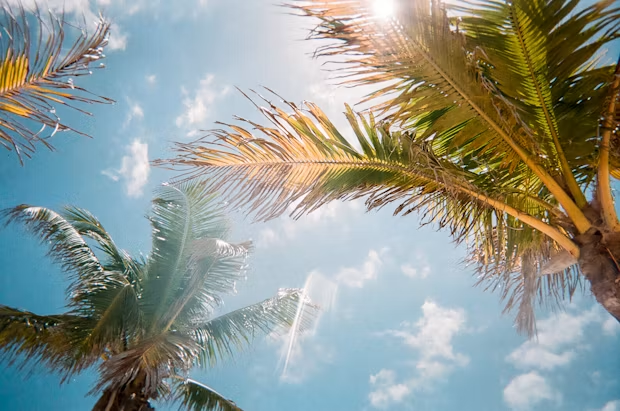
Finding good pictures for your website can be hard. Many stock photos cost too much money. Other pictures look fake or boring. Unsplash free images can help you solve this big problem today.
Unsplash is a massive website full of amazing pictures. Real photographers share their work on this platform every day. You can use these pictures for personal or business projects. You do not have to pay a single dollar for them.
Let us learn how this awesome tool works for everyone!
What Are Unsplash Free Images?
Unsplash free images are high quality photos you can download for free. A photographer named Mikael Cho started the site in 2013. He just wanted to share extra pictures from a photoshoot. Now, millions of people use the site every month.
The site has over five million photos right now. You can find pictures of nature, animals, food, and tech. Every photo looks clean, modern, and very professional. You do not need to make an account to download them.
You can use these pictures on blogs, posters, or school work. They help make your work look super cool and exciting.
Why Should You Choose Unsplash Free Images?
Most free picture sites have bad images that look weird. Unsplash free images look like real life. You see genuine people doing normal everyday things. This makes your project look honest and super friendly.
The site is also very easy for kids to use. The search bar helps you find things in two seconds. You can type “happy dog” and get thousands of hits.
Here are the top reasons people love this platform:
- Zero Cost: You never need to pull out a credit card.
- Top Quality: The pictures are crisp, clear, and bright.
- No Stress: You will not get into legal trouble for using them.
- Huge Variety: You can find almost any object or place.
Understanding the Unsplash License
The rules on this site are super simple to follow. You can download any photo without asking for special permission. You can change the photo or use it as it is.
You can use the photos for commercial projects too. That means you can use them on things you sell. For example, you can print a photo on a book cover.
However, you must remember two small negative rules:
- No Selling Photos: You cannot sell the raw photos directly to others.
- No Competing Sites: You cannot use them to start your own picture site.
Giving credit to the artist is not required at all. But it is always nice to say thank you!
How to Find the Best Unsplash Free Images
Finding the right picture is easy if you know simple tricks. First, try typing specific words into the search bar. Instead of typing “car,” try typing “red sports car.”
Next, look at the cool color filters at the top. You can choose photos that are blue, green, or red. This helps match the pictures to your website colors.
You can also search by picture shape:
- Landscape: Wide photos for desktop website banners.
- Portrait: Tall photos for mobile phone screens.
- Square: Equal sides for your social media posts.
Try mixing different words together to get unique results every time.
How to Download Pictures Step by Step
Downloading your favorite pictures takes just a few fast seconds. First, click on the photo you like the most. A big window will pop up on your screen.
Second, look for the green button in the top corner. It says “Download free” in big white letters. Click that button right away.
Third, choose the photo size you want to save:
- Small: Great for quick text messages or fast emails.
- Medium: Perfect for blog posts and social media updates.
- Large: Best for printing on big paper posters.
- Original Size: The biggest file for serious picture editing.
The image will save directly to your computer download folder.
Cool Ways to Use Unsplash Free Images
You can use these images for almost any fun project. Teachers love using them for classroom slideshows and worksheets. Students can use them to make school reports look super neat.
Bloggers use these photos to draw in new readers. A good picture at the top makes people want to read. You can also make nice social media posts for your friends.
Here are fun ways kids can use these images:
- Desktop Backgrounds: Make your computer screen look pretty.
- Birthday Cards: Print custom pictures for your best friends.
- Art Collages: Cut and paste photos for modern art projects.
- Video Thumbnails: Add cool covers to your YouTube videos.
Unsplash vs Other Stock Photo Websites
Many stock photo websites charge a lot of cash every month. They make you sign up for expensive monthly plans. Unsplash gives you top quality without taking your money.
Other free photo sites often show annoying pop-up ads everywhere. Unsplash stays clean, quiet, and very safe for children. You do not get tricked into clicking bad links.
Also, the photographers on Unsplash are super talented creative artists. They share work because they love helping other people create things. That gives the photos a warm human feel every single time.
How to Edit Your Downloaded Pictures
You can change your downloaded photos to make them unique. You do not need expensive editing programs on your computer. Free online apps like Canva work great for this job.
First, upload your new image into your favorite design tool. Then, you can add text or funny stickers on top. You can also crop the picture to hide small background items.
Try these simple edits to change your image fast:
- Add Text: Put big bold words over quiet space in the photo.
- Use Filters: Change the colors to black and white for drama.
- Adjust Brightness: Make dark pictures look brighter and happier.
- Crop Edges: Cut out the parts you do not want people to see.
Supporting the Photographers
The artists on the site work hard to take great photos. They give away their work for free out of pure kindness. You can support them in simple ways without spending money.
When you download a photo, a small box pops up. It gives you a short piece of text to copy. You can paste this text on your blog or social post.
This credit tells people who took the amazing picture. It helps the photographer get famous and find paid work later. Leaving a kind comment on their profile also makes their day!
Common Mistakes to Avoid
Even though the rules are simple, people still make tiny mistakes. Avoid these errors to keep your projects clean and safe.
Do not use photos with visible logos for bad things. Do not make real people in the photos look bad or silly. Respect the people who modeled for the camera.
Keep these simple warnings in mind every time:
- Check Sizes: Do not download huge files if you need small ones.
- Avoid Re-selling: Never try to sell the pictures on t-shirts alone.
- Respect People: Keep the image context positive and kind.
FAQs
Are Unsplash free images really 100% free?
Yes, every single picture on the main site is free. You do not pay anything to download or use them.
Do I need to create an account to download photos?
No, you do not need an account. You can just visit the site, click a photo, and download it right away.
Can I use Unsplash free images on my business website?
Yes, you can use them for commercial projects. You can put them on business sites, flyers, and products.
Do I have to give credit to the photographer?
No, you do not have to give credit. However, photographers really appreciate it when you do!
Can I upload my own photos to Unsplash?
Yes, anyone can join and share their photos. Your pictures just need to meet basic quality standards first.
Unsplash free images make creating cool projects super easy for everyone. You get millions of pretty pictures right at your fingertips. You do not need money, special skills, or legal worries to start. Just search for a fun topic, hit download, and make something awesome today
